
Customize the 3D view
 English
  Italiano
 The Style and Settings functions allow you to customise the visual appearance, orientation and navigation dynamics of the three-dimensional scene. Both are accessible from the toolbar by hovering over the 3D view.
Modifying the 3D View Style
The Style function (bucket icon) allows you to adjust point colours, background, element visibility and background grid parameters.

At the top there is a Reset button that restores all Style settings to their default values
Points
Applicable only when point clouds are present.
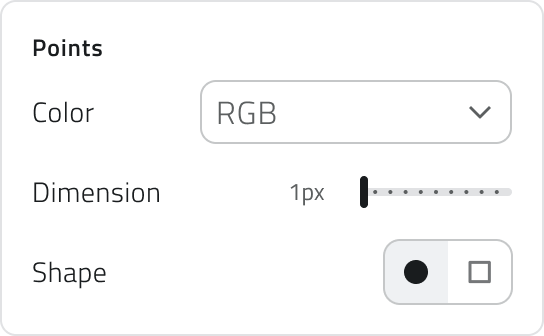
| Parameter | Customisation details |
| Colour | Various modes available (e.g. RGB, Depth, Elevation, Intensity, Normal, Composite). |
| Size | Adjustable between 1 and 10 pixels. |
| Shape | Choose between circles and squares. |
General
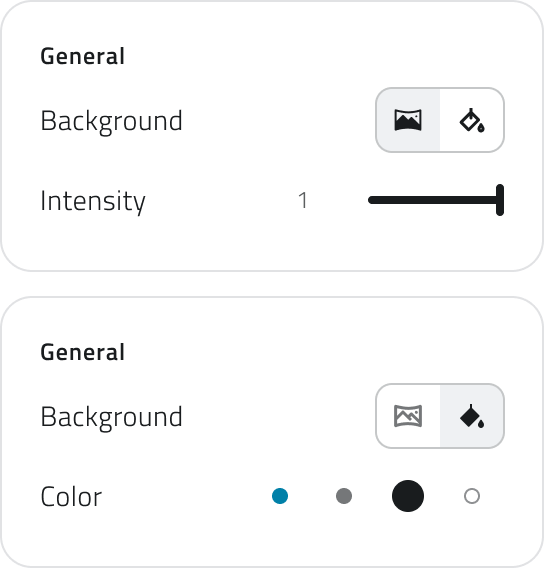
| Parameter | Customisation details |
| Background | Set a panoramic background or a solid colour. |
| Intensity (panoramic background) | Sets the intensity of the background image in a range between 1 and 0 (black). |
| Colour (solid colour) | Choose from 4 background colours. |
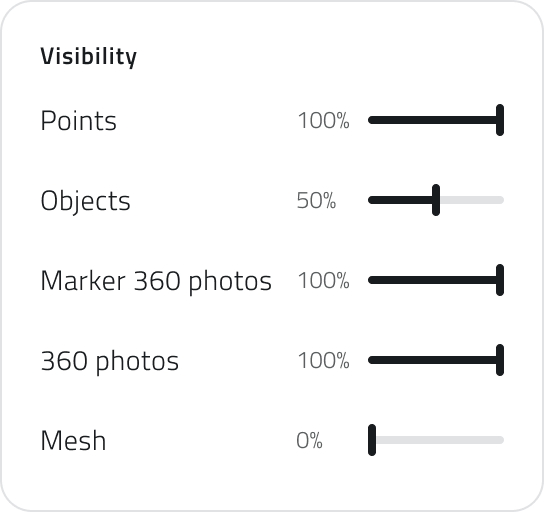
Visibility
Adjusts the transparency percentage for the various elements in the scene.
Grid
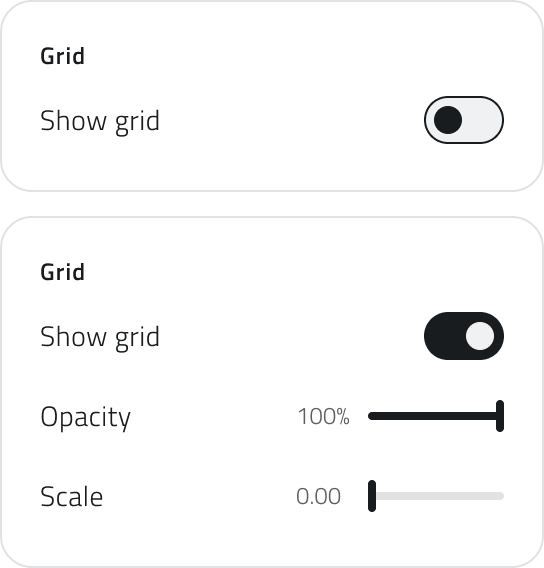
| Function / Parameter | Action |
| Grid visible (Enable/Disable) | Enables or disables the grid display. |
| Opacity | Adjusts the transparency percentage of the grid. |
| Scale | Adjusts the size of the grid. |
Modifying the 3D View Settings
This function, accessible via the Settings icon, allows you to adjust the movement and rotation speed of the 3D view.

At the top there is a Reset button that restores all Settings to their default values.
Speed
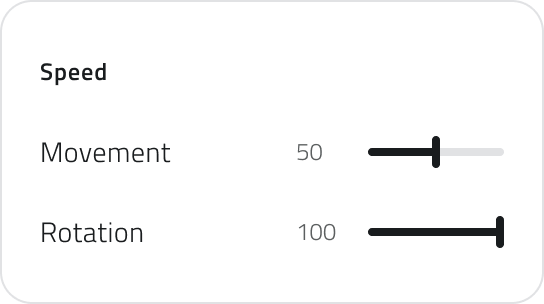
| Parameter | Adjustment range | Purpose |
| Movement | Between 40 and 500. | Adjusts how quickly you move through the scene. |
| Rotation | Between 100 and 500. | Adjusts the speed at which the 3D view rotates. |
Links
Personalizza la vista 3D
Le funzioni di Stile e Impostazioni ti permettono di personalizzare l'aspetto visivo, l'orientamento e la dinamica di navigazione della scena tridimensionale. Entrambe sono accessibili dalla barra degli strumenti passando con il mouse sulla vista 3D.
Modificare lo Stile della Vista 3D
La funzione Stile (icona del secchiello) permette di regolare i colori dei punti, lo sfondo, la visibilità degli elementi e i parametri della griglia di sfondo.
In alto è presente il pulsante di Reset, che riporta tutte le voci dello Stile ai valori di default.
Punti
Applicabile solo in presenza di nuvole di punti.
| Parametro | Dettagli di Personalizzazione |
| Colore | Varie modalità disponibili (es. RGB, Profondità, Elevazione, Intensità, Normale, Composto). |
| Dimensione | Regolabile tra 1 e 10 pixel. |
| Forma | Scegli tra cerchi e quadrati. |
Generale
| Parametro | Dettagli di Personalizzazione |
| Sfondo | Imposta uno sfondo panoramico o una tinta unita. |
| Intensità (sfondo panoramico) | Imposta l'intensità dell'immagine di sfondo in un range tra 1 e 0 (nero). |
| Colore (tinta unita) | Scegli tra 4 colori di sfondo. |
Visibilità
Regola la percentuale di trasparenza per i vari elementi della scena.
Griglia
| Funzione / Parametro | Azione |
| Griglia visibile (Attiva/Disattiva) | Attiva o disattiva la visualizzazione della griglia. |
| Opacità | Regola la percentuale di trasparenza della griglia. |
| Scala | Regola la dimensione della griglia. |
Modificare le Impostazioni della Vista 3D
Questa funzione, accessibile tramite l'icona Impostazioni, ti permette di regolare la velocità di movimento e rotazione della visuale 3D.
In alto è presente il pulsante di Reset, che riporta tutte le voci delle Impostazioni ai valori di default.
Velocità
| Parametro | Intervallo di Regolazione | Scopo |
| Movimento | Tra 40 e 500. | Regola quanto rapidamente ci si muove nella scena. |
| Rotazione | Tra 100 e 500. | Regola la velocità con cui ruota la visuale 3D. |
Collegamenti
Last update: 21 May 2026
No comments to display
No comments to display